connect every ai tool on your machine to one memory, see what the command does at each step, and know what to try the moment it finishes.
connecting your ai · step 2 of 5
start in one command

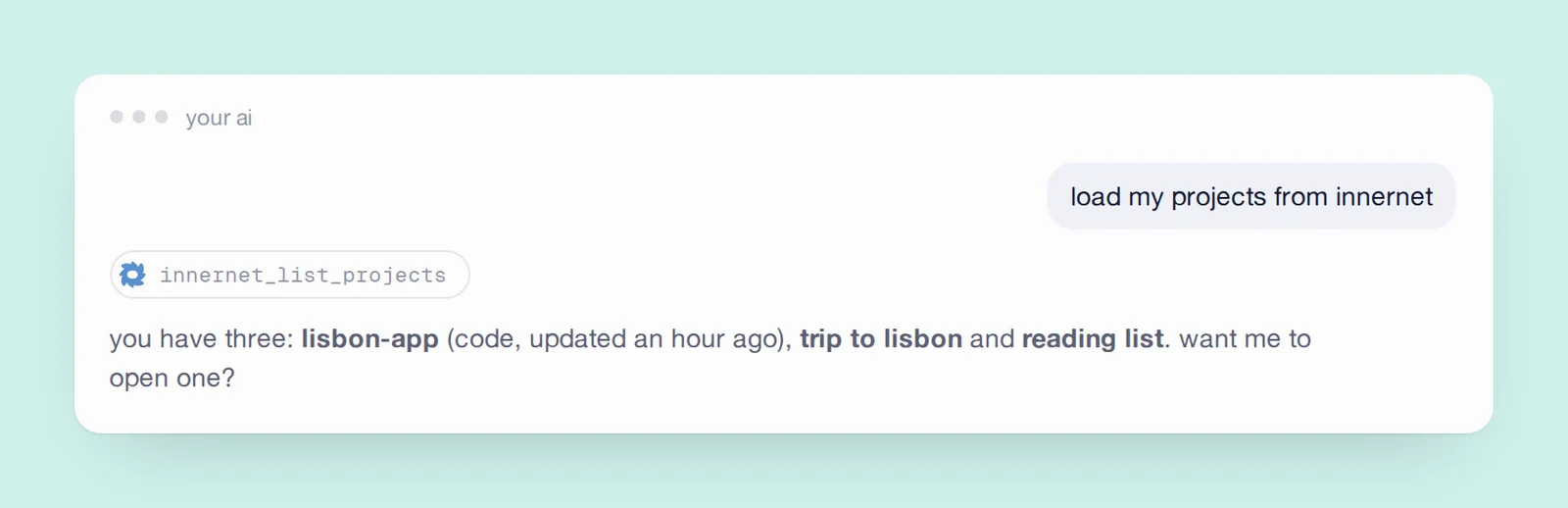
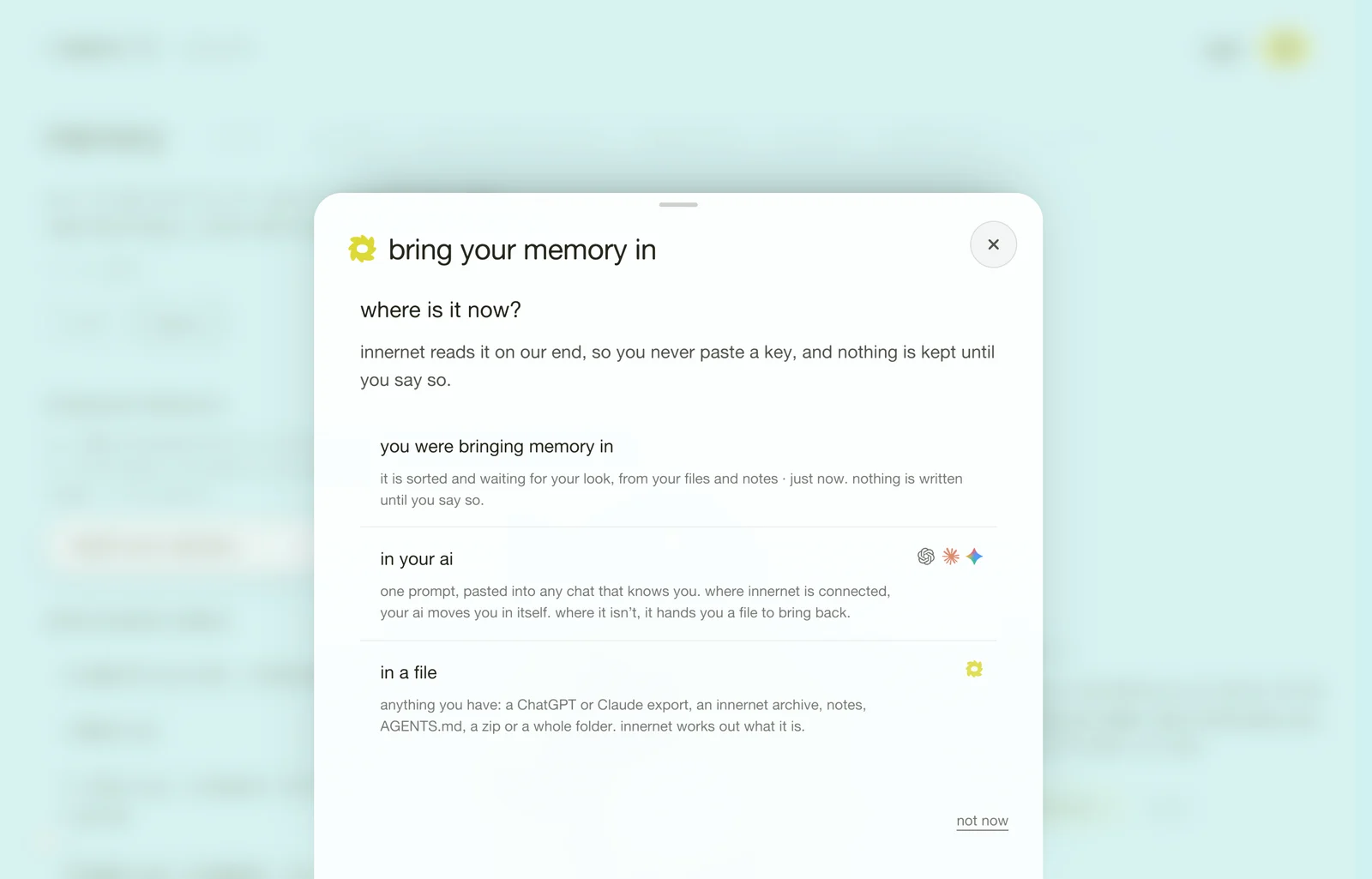

there is one command. it does the whole setup, and it tells you what it did as it goes.
npx innernetpaste it into a terminal (on a mac, press ⌘ space and type terminal) and press enter. you need node 18 or newer; node -v tells you. nothing is installed: npx fetches innernet, runs it, and forgets it.
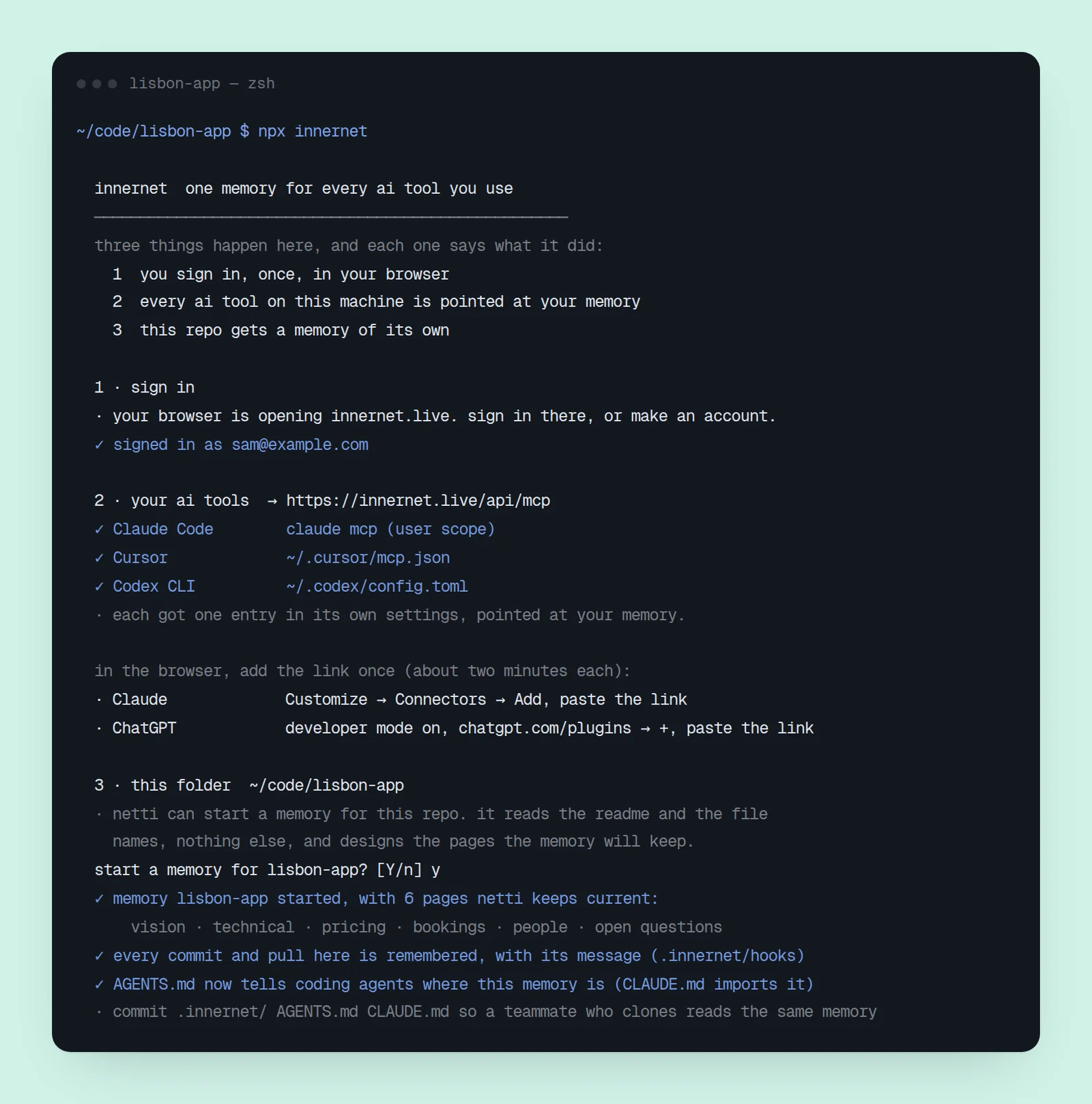
what you'll see, step by step
before it does anything, it says what's about to happen: two steps anywhere, three inside a code project.
- sign in. your browser opens innernet.live. sign in, or make an account; a new account meets its netti first and then comes straight back. the terminal waits for you, and prints the link as well, in case no browser opened (over ssh, say). when it's done you'll see signed in as and your email.
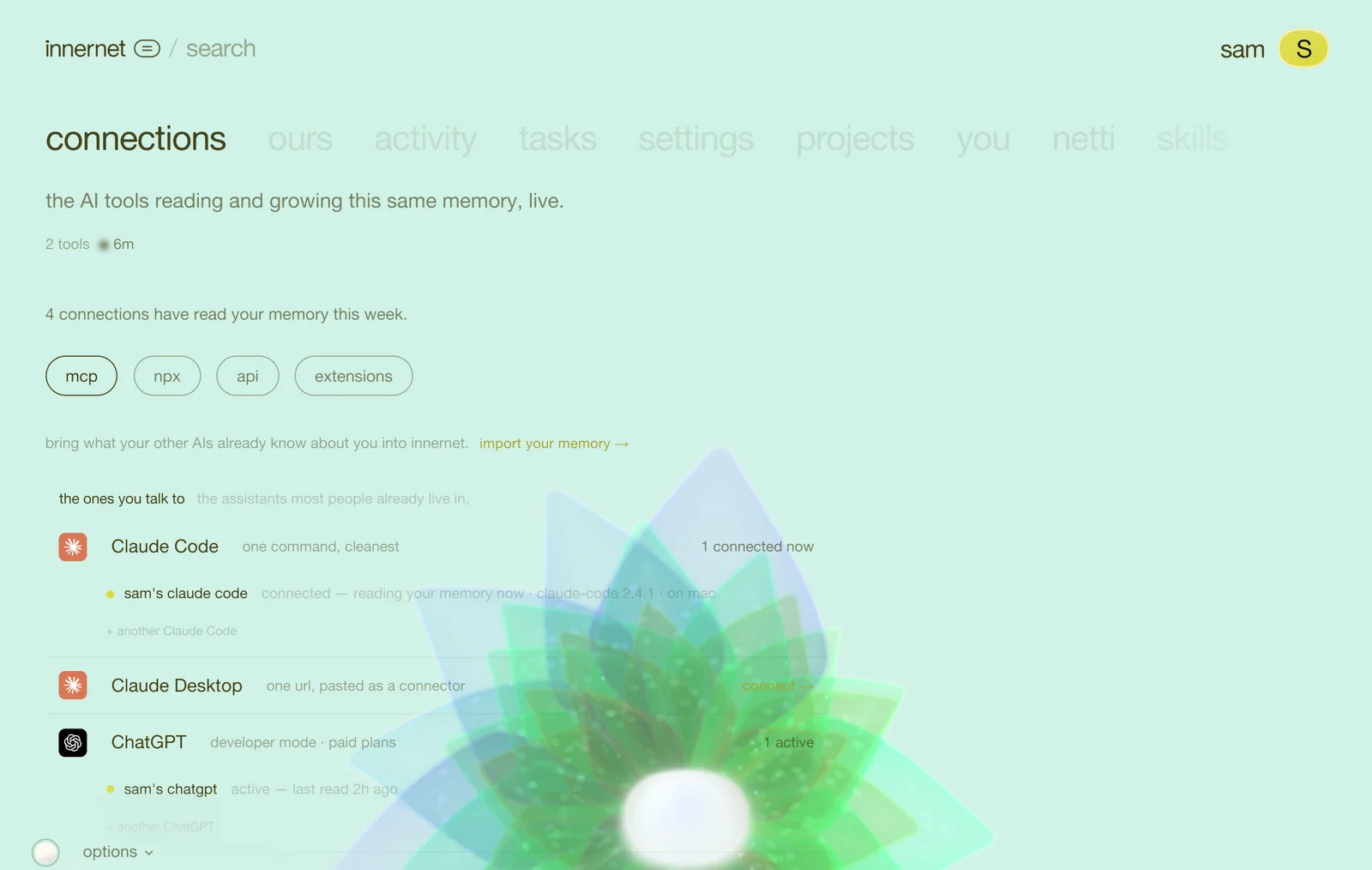
- your ai tools. it looks for every ai tool on this machine that it knows: claude code, cursor, windsurf, codex, gemini cli, claude desktop, vs code, cline, roo code, opencode, zed, continue and antigravity. into each one's own settings it writes one entry pointed at your memory, and each line names the file. nothing else in those files changes; a server you already had stays where it is. claude and chatgpt live in a browser, so nothing on your computer can set them up. the run hands you the link and the few clicks instead; connect your ai tools walks through both.
- this folder. inside a git repo it offers to start a memory for the project. say yes, and netti reads the readme and the file names (nothing else leaves your machine) and designs the pages that fit this project. then it adds two quiet git hooks, so every commit and pull is remembered, and a short note in
AGENTS.mdso coding agents know where the memory is. your repo in innernet has the whole of it.
then it tells you what now
the end of the run is the part to read.
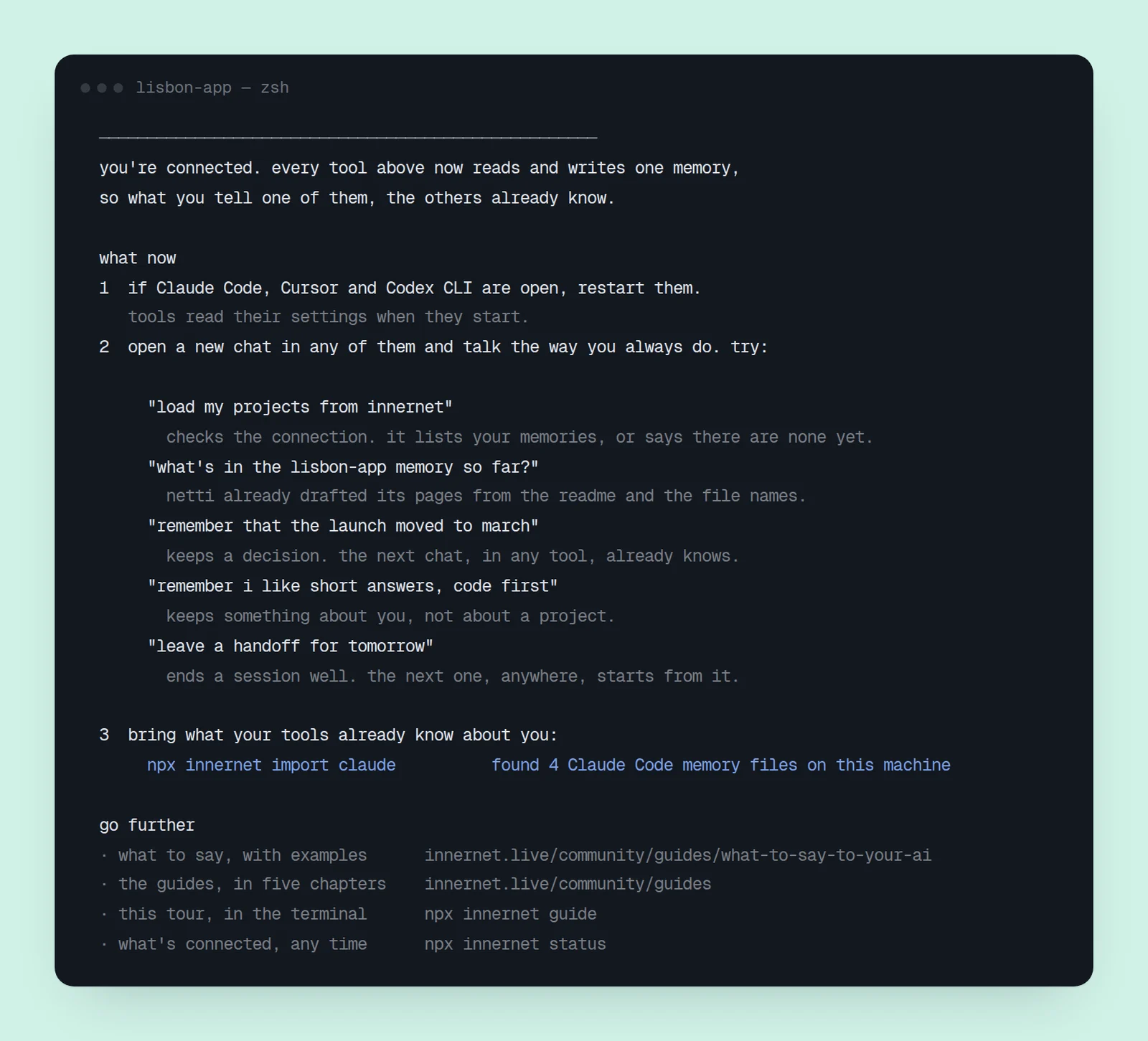
- restart the tools that were open. tools read their settings when they start.
- five things to say, in plain words, in any of them. the first, load my projects from innernet, is the check that it worked.
- what to bring in. if claude code has been keeping its own memory on this machine, the run says so, with the one command that brings it over.
- where next: what to say to your ai, every guide, your dashboard, and
npx innernet guide, the same tour in your terminal.
what it wrote
| where | what |
|---|---|
| each tool's own settings | one innernet entry. a tool that speaks mcp over the web gets the address and this machine's key; a tool that can only start a program (claude desktop, codex, zed, continue) gets innernet mcp, a small bridge to the same address |
~/.innernet/session.json | the one key for this machine, readable only by you |
.innernet/connection.json | in a repo: the memory's name, nothing secret |
.innernet/hooks/ | in a repo: the two git hooks |
AGENTS.md, CLAUDE.md | in a repo: a short block naming the memory, and the one-line import that lets claude code read it |
the key never leaves this machine except to talk to innernet, and you never paste it into a chat. if an ai ever asks you for one to "connect innernet", don't; give it the link instead and let the browser sign-in run.
commit .innernet/ and AGENTS.md (the run reminds you). that's how the link travels with the code: someone you've shared the memory with clones the repo, runs the same command, and reads the same memory.
running it again
running it again is always safe. it re-checks everything, fixes anything that drifted, picks up a tool you've installed since, and says all set when nothing needed changing. to see what it would do first:
npx innernet --dry-runit shows every file it would touch and writes nothing, not even a sign-in.
the rest of the command
| command | what it's for |
|---|---|
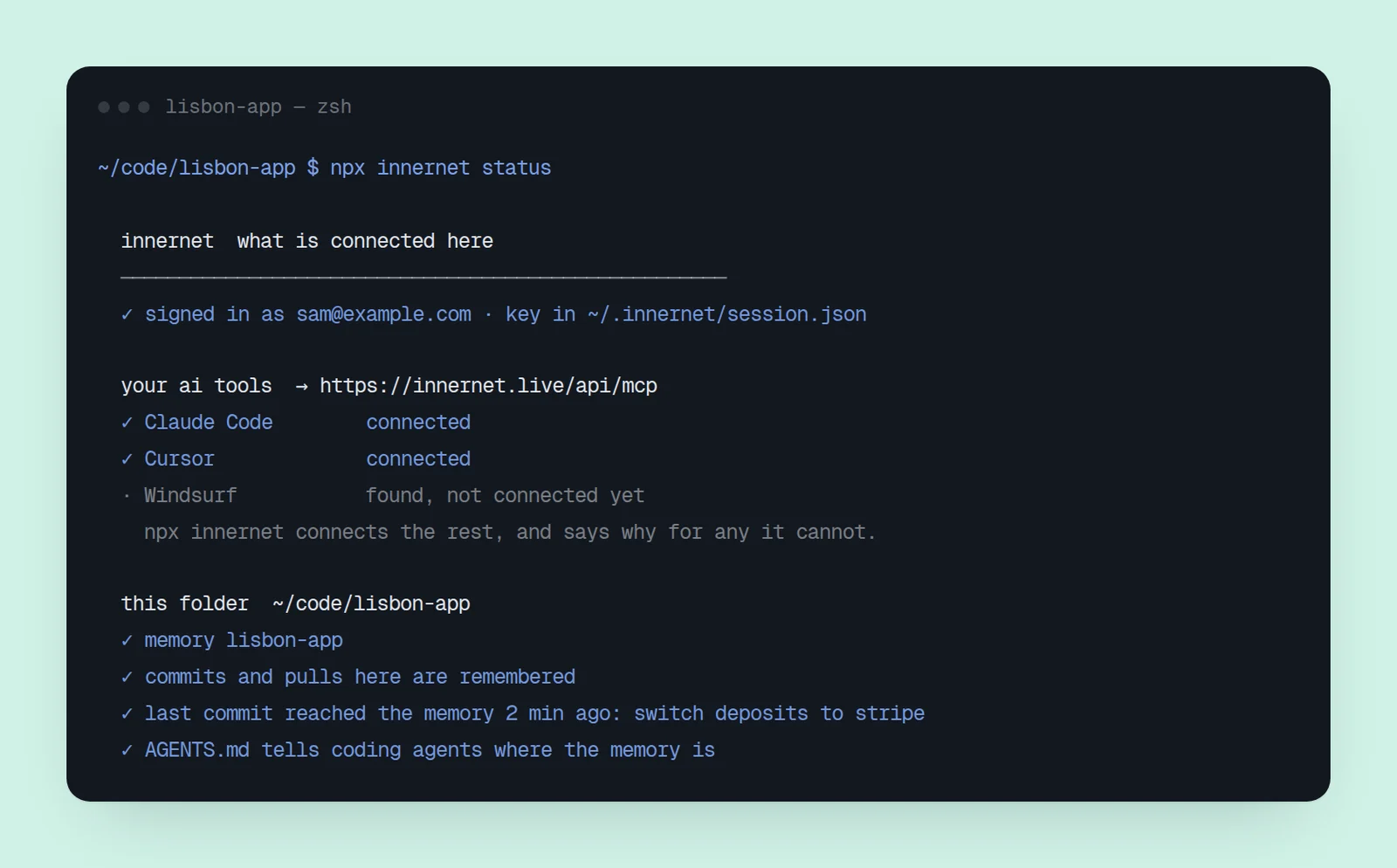
npx innernet status | what's connected on this machine, this folder's memory, and whether the last commit reached it |
npx innernet guide | the tour in your terminal: what to say to your ai, and every guide. npx innernet guide builders shows one chapter |
npx innernet import claude | brings claude code's own memory in |
npx innernet import chatgpt conversations.json | a chatgpt export |
npx innernet import dir ./notes | a folder of notes |
npx innernet capture "…" | one line into this folder's memory, from a terminal or a script |
installed for good (npm i -g innernet), each is just innernet ….
when something looks wrong
- a tool isn't listed. it isn't where the command looks, or innernet doesn't know it yet. give it the link by hand: connect an ai.
- a tool shows ⚠. its settings couldn't be changed safely (a file that isn't valid json, say). the line names the file and what to add; fix it and run again, or add the entry by hand.
- the tool doesn't mention innernet. restart it, then start a new chat.
- commits don't seem to arrive. run
npx innernet statusinside the repo. it shows the last commit that reached your memory and, when one didn't, why.
every flag, in technical detail: the npx command.
next: what to say to your ai.
every chapter
one memory, every ai tool.
innernet is memory your ai tools read live: every project, every decision, every skill, in one place, connected once.